Trendyol for Russian Sellers in 2026: A Step-by-Step Guide to Entering via Mobile Proxies
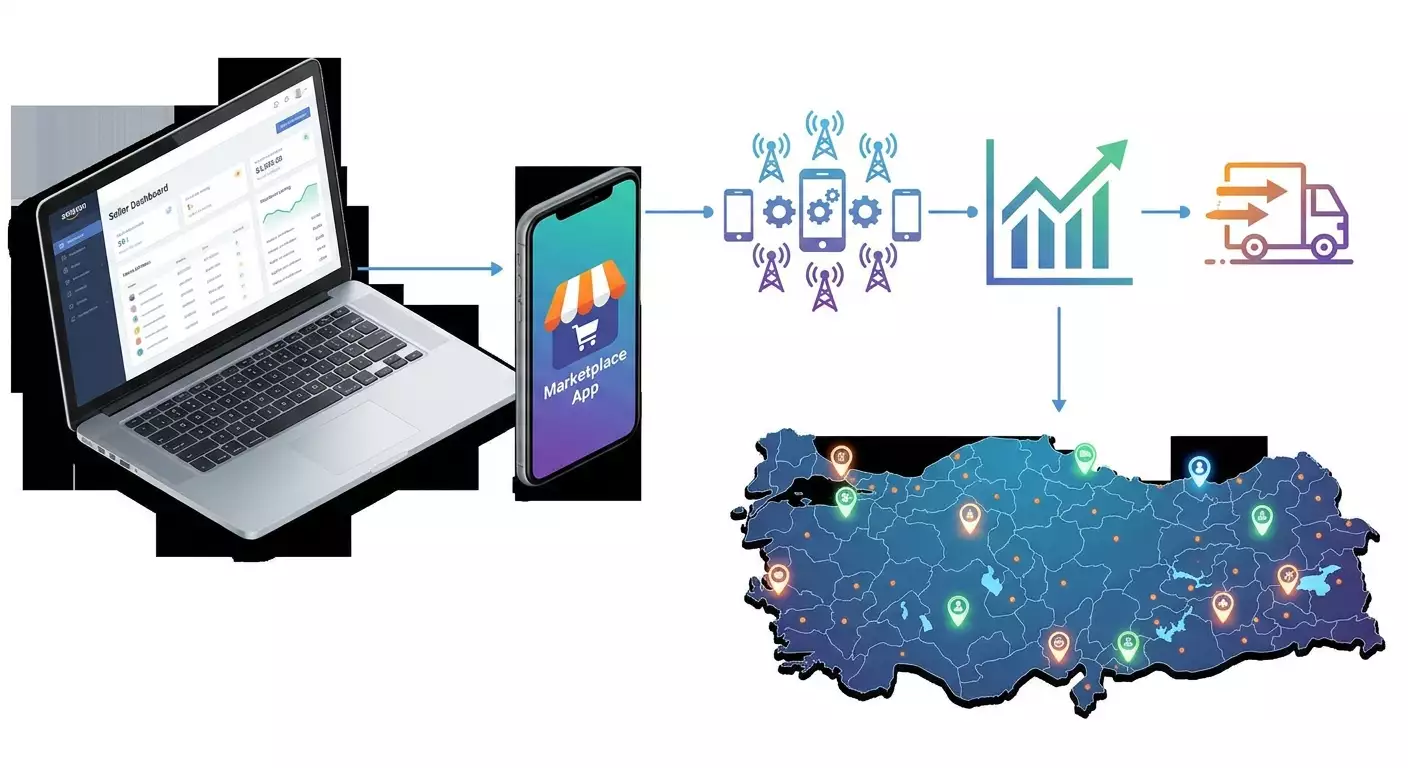
Table of contents
- Introduction
- Preliminary preparation
- Basic concepts
- Step 1: research your niche and confirm category compliance
- Step 2: choose a legal model and prepare documents
- Step 3: register in the seller panel and verify your account
- Step 4: connect turkish mobile proxies and set up testing environment
- Step 5: create and localize product listings for the turkish audience
- Step 6: set prices, promotions, and monitor competitors via mobile proxies
- Step 7: organize logistics and returns
- Step 8: set up payments, taxes, and accounting
- Step 9: automate routine tasks and scale
- Result verification
- Common mistakes and solutions
- Additional opportunities
- Faq
- Conclusion
Introduction
In this step-by-step guide, you will learn how a Russian seller can officially and safely enter the Turkish marketplace Trendyol in 2026. We’ll cover how to prepare effectively, register as a seller, localize product listings, establish logistics and payments, and use Turkish mobile proxies for testing listings, monitoring competitors and prices, A/B testing, and automating processes without violating platform rules. You will receive detailed instructions, action lists, ready-made templates, and checkpoints to guide you from idea to your first stable sales.
This guide is created for entrepreneurs launching sales in the Turkish market for the first time, and for practitioners who need clear algorithms, checklists, and effective methodologies. We explain in simple language, avoiding complex jargon, and we give you specifics: where to click, what to fill out, and how to check results.
What you need to know in advance: Trendyol is the largest e-commerce marketplace in Turkey, with millions of active buyers and well-developed logistics. Rules and rates change, so always double-check figures and documents in your Seller Panel and official platform materials. We provide universal steps and explain the principles so you can quickly adapt to the current conditions of 2026.
How much time will it take: if you have all the necessary documents, the basic entry without integrations takes 7–14 days, including registration, uploading the first listings, and connecting logistics. With a local legal structure, it takes 3–6 weeks. For pricing and promotional fine-tuning, allocate another 2–4 weeks.
✅ Check: After reading the introduction, you should understand the end result, the target audience of the guide, and the approximate timelines. If the goal is clear, move on to preparation.
Preliminary Preparation
Before starting, prepare your equipment, accesses, software, and work environment. This will shorten the time for registration, testing, and publishing listings, as well as protect against mistakes.
Essential Tools, Programs, and Access
- A computer or laptop with an updated browser (Chrome, Edge, Safari) and a stable internet connection.
- A smartphone running iOS or Android for checking how listings appear in the Trendyol app.
- A work email on your domain or a reliable email service.
- A phone number for confirmation in the Seller Panel.
- A graphic editor for preparing images (for example, Figma, GIMP, or any equivalent).
- High-quality files of seller documents (statutory documents, registration data, bank details, or agreements with a partner-aggregator/3PL, if necessary — a contract with a courier service).
- Mobile proxies with Turkish IPs for testing geolocation results and monitoring prices.
System Requirements
- 5–10 GB of free disk space for photos, videos, and uploads.
- 8 GB of RAM or higher for simultaneous work with graphics, spreadsheets, and web browsers.
- A stable connection of 20 Mbps or higher, with a ping to Turkey not exceeding 150–200 ms for efficient operation.
What to Install and Configure
- Update your browser to the latest version.
- Prepare a password manager to store access for your seller account and email.
- Install a spreadsheet editor (Google Sheets or the equivalent) for maintaining your catalog.
- Prepare an image converter to meet the platform's requirements (sizes, JPEG/PNG format, weight).
- Configure mobile proxies in the browser via system proxy settings or extension. For automation, determine the rotation scenarios by timer or API in advance.
Backups
- Make backups of all documents and store them in an encrypted cloud and on external media.
- Export product listings from your catalog to CSV/Excel and keep a backup before each bulk upload.
- Keep a change log: what and when was updated regarding prices, attributes, photos.
Tip: Create a separate work account on your computer to isolate corporate files and settings from personal ones. This simplifies control and enhances security.
✅ Check: You have access ready, software installed, proxies connected at the system or browser level, documents gathered in one folder, and basic backups made.
Basic Concepts
If you are entering a foreign marketplace for the first time, let's break down key terms in plain language.
- Trendyol — a major Turkish marketplace with an app and web version. Sellers list products, and buyers place orders with delivery in Turkey and a number of other countries as part of active programs.
- Seller Panel — the seller dashboard on Trendyol for managing products, orders, prices, promotions, and metrics.
- SKU — Stock Keeping Unit. Trendyol often uses the term Variant ID/Barcode for variations in size/color.
- KDV — the Turkish equivalent of VAT. The rate depends on the category. For specific rates and obligations, consult a tax advisor and Trendyol documentation.
- FBY/FBS — logistics models: fulfillment by the marketplace or shipping from the seller's warehouse with connected courier services. Check names and conditions in the Seller Panel.
- Mobile Proxies — connecting to the internet via actual SIM cards from mobile operators. This provides IP addresses from mobile networks in the required country and enables real buyers in specified regions to see listings and prices accurately.
- Proxy Rotation — changing the IP address by timer, manually, or via API. This is necessary for bulk checks of inventory and monitoring without unnecessary risks and overloading a single IP.
- Geo Results — differences in positions and recommendations depending on the buyer's region in Turkey (e.g., Istanbul, Ankara, Izmir). A mobile IP from a specific region helps see a relevant picture.
⚠️ Attention: Any automation must comply with platform rules and legislation. Be careful with request frequency limits, do not gather unnecessary personal data, and do not attempt to imitate actions prohibited by marketplace rules.
✅ Check: You understand key terms: KDV, Seller Panel, FBY/FBS, mobile proxies, rotation, and geo results. You can briefly explain why proxies are necessary for testing and monitoring.
Step 1: Research Your Niche and Confirm Category Compliance
Goal: Select a category, understand demand, product requirements, restrictions, and competition level to avoid listing rejections and excessive costs.
Step-by-Step Instructions
- Open the Trendyol app on your smartphone and search for key queries from your niche in Turkish.
- Compile a list of top brands and sellers, selecting 10–15 listings with a high number of reviews and sales.
- Record attributes: sizes, materials, certifications, mandatory fields in listings, and media materials.
- Evaluate prices and promotions: average price, discounts, coupons, participation in sales.
- Check for special requirements: certificates of compliance, labeling, age restrictions.
- Identify entry barriers: minimum number of photos, need for local warranty, shipping times, availability of a local instruction manual in Turkish.
- Formulate hypotheses: which items you are ready to introduce in the first wave, and which will come later.
- Coordinate with logistics: dimensions, weight, fragility, delivery times to buyers in key cities.
Important Points
- Language of Listings: Having descriptions, titles, and attributes in Turkish increases conversion and trust.
- Seasonality: There is significant seasonality in categories like clothing and home goods in Turkey. Plan your assortment in advance.
- Local Brands: Strong competition in fashion and cosmetics. Look for unique offerings and fast delivery.
Tip: Gather the top 100 key queries in Turkish for your category and group them into 5–7 clusters. This will be helpful when naming and describing products.
Expected Outcome
You have a list of priority products, an understanding of the price range, necessary attributes, and category requirements. Drafts of Turkish titles and descriptions are ready.
Possible Problems and Solutions
- Certification required — clarify the standard and obtain it through accredited organizations, or replace the item with one that does not require complex certification.
- Competition is too high — start with a niche product or offer sets/bundles with unique value.
- Unclear terms in the category — refer to the help section in the Seller Panel and the translation of terms, use professional vocabulary dictionaries in Turkish.
✅ Check: Your table includes categories, target audiences, prices, competitors, attributes, and requirements. If any data is missing, return to analysis and supplement it.
Step 2: Choose a Legal Model and Prepare Documents
Goal: Determine how you will operate on Trendyol: through a Turkish legal entity, an accredited partner-aggregator/distributor, or as a cross-border seller with local fulfillment, and gather the document package.
Step-by-Step Instructions
- Evaluate your turnover: if you plan to scale, consider registering a legal entity in Turkey with a local bank account and tax accounting.
- If starting small — explore the option of a local 3PL/fulfillment partner who can act as an official seller or provide infrastructure.
- Form a list of documents: company registration documents, beneficiaries, bank details, warehouse address, or contract with 3PL, contact persons.
- Check tax obligations: KDV, electronic invoices, reporting. Confirm with a tax advisor.
- Determine the logistics model: your own warehouse in Turkey or fulfillment by the marketplace/partner, contracts with courier services.
- Prepare seals and signatures of responsible persons for contracts and reports.
Important Points
- Payments: As a rule, payments are made to a local account in lira according to a schedule specified in the seller panels.
- Taxes: Rates and procedures depend on the category and seller’s status. Always verify current regulations.
- Legal Compliance: Keep scanned and original documents properly organized for support requests.
Tip: Create a checklist of documents in both languages: Russian and Turkish. This will help avoid delays during verifications.
Expected Outcome
You have chosen a working model, gathered documents, and are ready to apply for registration in the Seller Panel. You understand tax and logistics obligations.
Possible Problems and Solutions
- Long account registration — plan timeframes in advance and parallelly prepare listing content.
- Uncertainty about taxes — contact a licensed consultant for Turkish tax law.
- No local address — sign a contract with a 3PL which provides storage and shipping addresses.
✅ Check: All documents are collected in one folder, translated if necessary, the logistics and payment model is clear, timelines are confirmed.
Step 3: Register in the Seller Panel and Verify Your Account
Goal: Create a seller account, accurately fill out the profile, upload documents, and pass moderation without repeated rejections.
Step-by-Step Instructions
- Go to the seller registration section in Trendyol Seller Panel and select the account type: legal entity or another option based on your documents.
- Provide the legal name, address, tax number, contact details. Check the accuracy of the spelling in Turkish.
- Upload scans of incorporation documents and proof of bank details for payments.
- Accept the terms of the offer and marketplace policy.
- Verify your contact phone and email using codes from SMS and email.
- Wait for the initial moderation of your profile. This usually takes several hours to several days.
- Once approved, log in to the Seller Panel, complete your store showcase: name, logo, description in Turkish.
- Set up notifications: new orders, customer messages, moderation statuses.
Important Points
- Consistent Style: Use a consistent brand name across all fields and documents.
- Official Email: A business email increases trust with the moderation service.
- Correct Details: Double-check the bank name and account number for payments.
Tip: Keep a checklist of profile fields and take screenshots of each step. This will be useful for contacting support if verification is needed.
Expected Outcome
Your account is created, profile filled in, documents accepted, showcase set up, and notifications enabled. You can now proceed to create your catalog.
Possible Problems and Solutions
- Documents rejected — check the readability of scans, compliance of names, and include translations if necessary.
- Moderation delay — check status through support and see if any additional information is required.
- Email not confirmed — check the spam folder and domain settings, change address to a backup if necessary.
⚠️ Attention: Do not create duplicate accounts without resolving the current registration. Duplicates complicate moderation and may lead to refusal.
✅ Check: You see an active seller status in the Seller Panel, can create products, and have access to pricing, logistics, promotions, and reporting sections.
Step 4: Connect Turkish Mobile Proxies and Set Up Testing Environment
Goal: Ensure accurate checking of geo results and product performance in different regions of Turkey, as well as safe and stable monitoring of prices and competitors.
Step-by-Step Instructions
- Select a mobile proxy provider with IPs in Turkey and real SIM cards from operators. Ensure they support both HTTP(S) and SOCKS5 protocols simultaneously.
- Set up a proxy profile in system settings or through a browser extension: specify host, port, username, and password.
- Enable rotation by timer at a reasonable interval, for example, every 10-30 minutes, or set manual switching via a link/API for targeted checks.
- Open an IP and DNS leak check to verify that you see a Turkish IP from the required mobile operator.
- Prepare 3–5 proxy profiles for different regions in Turkey to compare listings in Istanbul, Ankara, and Izmir.
- Log in to the Seller Panel in the browser through your main internet channel, while using proxies in a second window or a separate profile to test the buyer view.
- On your smartphone, switch mobile proxies via a Wi-Fi hotspot with the appropriate settings to replicate the app user experience.
Important Points
- Separate Roles: Use the seller dashboard through a stable main channel; test listings from the buyer perspective using mobile proxies.
- Geo Region: Use different cities to compare positions and recommendations.
- Frequency: Maintain reasonable frequency for page updates and IP rotation to avoid triggering unnecessary checks.
Tip: Check latency to nodes in Turkey using the provider's latency map to choose the fastest region for regular checks.
Tip: Run a Proxy Checker before important tests to ensure proper authorization and channel stability.
For convenience, you can use the service MobileProxy.Space: in 2026, it offers over 218 million IPs in 53+ countries, real SIM cards from operators, simultaneous support for HTTP(S) and SOCKS5, flexible rotation by timer, API, and link, as well as 3 hours of free testing and 24/7 support. This will simplify the setup of geo tests for Turkey. The promo code YOUTUBE20 gives you a 20% discount on your first purchase.
Expected Outcome
You have a working environment: separate access to the Seller Panel and buyer sessions through Turkish mobile IPs for checking listings and prices in different cities.
Possible Problems and Solutions
- Geo inconsistency — change the rotation point or use a different mobile operator.
- High latency — select IPs with lower ping from the latency map or reduce the number of concurrent requests.
- Reauthorization requests — set up a stable session and avoid frequent switches within a single check.
✅ Check: IP check shows Turkey, Trendyol pages load consistently, listings and prices are visible the same in the app and browser, differences by city are reproducible.
Step 5: Create and Localize Product Listings for the Turkish Audience
Goal: Prepare listings that will pass moderation, make sense to Turkish buyers, and ensure conversion into orders.
Step-by-Step Instructions
- Identify the list of attributes for the category in the Seller Panel: mandatory and recommended.
- Prepare titles in Turkish, including 1–2 key queries and product features. Example: Pamuklu erkek tişört, klasik kesim, nefes alabilir.
- Compose descriptions in structure: key advantages, materials and care, sizes and fit, delivery and warranty, answers to frequent questions.
- Gather media content: 6–8 high-quality photos, neutral background plus 1–2 lifestyle photos. A 15–30 second video if possible.
- Create variations: color, size, configurations. Write barcodes and SKUs in a system understandable to you and your warehouse.
- Provide actual weight and dimensions for proper logistics and shipping cost calculations.
- Specify order preparation time, shipping SLA, and return conditions according to category rules.
- Save listings as drafts, check spelling and terminology in Turkish.
- Submit for moderation and wait for approval. Make necessary adjustments based on the moderator's comments.
Important Points
- Localization: Avoid text in other languages on images. Provide parameters in units of measurement familiar to Turkey.
- Transparency: Do not exaggerate features. Discrepancies from expectations lead to returns and lower ratings.
- Category Templates: Study how leading listings are formatted. Replicate their structure logic while retaining your unique advantages.
Tip: Use a browser fingerprint generator to test how listings look for different user device profiles in Turkey. This is useful for checking fonts, layouts, and galleries.
Expected Outcome
Listings are approved by moderation, attributes are filled out, media content is accurate, texts are in Turkish, logistics and return conditions are stated correctly.
Possible Problems and Solutions
- Rejection due to photos — adjust images to meet requirements: white background, format, size, no watermarks.
- Unclear attributes — study similar listings and the description of fields in the Seller Panel, clarify any confusing terms with support.
- Slow moderation — check if there are mass promotions ongoing that extend processing times, and submit listings in advance.
✅ Check: Status of listings — approved. In the app and web, listings display without errors, all photos load quickly, and descriptions are readable.
Step 6: Set Prices, Promotions, and Monitor Competitors via Mobile Proxies
Goal: Establish effective pricing considering commissions and taxes, create promotional mechanics, and start regular monitoring of competitors across regions in Turkey.
Step-by-Step Instructions
- Calculate your base price: cost + logistics + commission + KDV + target margin. Record this in a table.
- Create a pricing template for different scenarios: regular price, promotional price, sale price.
- Set up promotions and coupons in the Seller Panel, specifying timelines, minimum purchase amounts, and categories.
- Using mobile proxies, check final prices in different cities. Ensure the expected discount and conditions appear correctly on the showcase.
- Gather competitor data: 5–10 sellers for each target position. Record their prices, promotion frequencies, delivery conditions, and review volumes.
- Identify reasonable monitoring frequency: for example, 1–2 times a day per city and product with IP rotation every 20–30 minutes.
- Launch a semi-automated check: open listings in various cities and record data in a table or an integrated dashboard. Maintain limits.
Important Points
- Accounting for Commissions: Confirm the latest commissions and tax rates in the Seller Panel before initiating promotions.
- Local Appeal: Price and delivery time together impact conversion. Test both factors.
- Ethical Monitoring: Do not raise request frequency unnecessarily, use rotation and intervals intelligently.
Tip: Before engaging in bulk monitoring, check each proxy through a Proxy Checker and IP checker to exclude incorrect nodes and minimize misses.
For faster setup, you can use MobileProxy.Space: this service provides Turkish mobile IPs, rotation by timer and API, as well as a latency map and proxy calculator, to determine the optimal number of channels for your monitoring volume. Built-in 24/7 support helps quickly replace problematic IPs.
Expected Outcome
Prices are calculated and published, promotions are active, competitor monitoring is set up considering geo differences and update frequencies. You have a table documenting price history and promotions.
Possible Problems and Solutions
- Price mismatch with the showcase — check commissions and KDV in settings, resave the pricing rule.
- Promotion not activated — verify the time zone, date, and participating categories.
- Excessive captchas — reduce request frequency and increase IP rotation intervals.
✅ Check: In the app and web, both price and discount display correctly in three key cities. The table records competitor data for the past 3–7 days.
Step 7: Organize Logistics and Returns
Goal: Choose a delivery model, set up shipments, package goods according to requirements, and ensure SLA and clear return conditions for Turkish buyers.
Step-by-Step Instructions
- Identify the model: seller warehouse or fulfillment. If fulfillment, connect the relevant rate in the Seller Panel.
- Select courier services for shipping within Turkey. Compare rates, coverage areas, and delivery times.
- Set up label and barcode printing. Verify format compliance for your printer and carrier requirements.
- Prepare packaging: boxes of required sizes, protective materials, enclosure with instructions in Turkish.
- Outline the shipping process: order collection, component verification, label printing, handover to courier, marking status in Seller Panel.
- Set up status change notifications: assembly, dispatched, delivered, return.
- Define the return policy in accordance with category rules and specify it in the listing.
Important Points
- Timelines: Clearly specify order preparation time. Realistic SLA enhances ratings.
- Packaging: Turkish buyers expect neatness and protection. Investing in packaging reduces returns.
- Tracking: Synchronize statuses to ensure buyers and support have current information.
Tip: Create a packaging checklist in both Turkish and Russian. Mark items during assembly to reduce human error.
⚠️ Attention: For international movements and cross-border shipments, comply with customs regulations and use licensed broker services. Specify correct HS codes and product descriptions.
Expected Outcome
The logistics model is clear, contracts with courier services are in place, or fulfillment is connected, packaging and labeling meet requirements, status updates are consistent.
Possible Problems and Solutions
- Delivery delays — check the courier's schedule, set up pickup for an earlier time, optimize packaging.
- Damage — enhance protection in the packaging and use caution stickers if permitted by carrier regulations.
- Losses — organize an inventory checklist, take photos before shipment, and insure if available.
✅ Check: A test order was delivered on time, tracking statuses displayed in the Seller Panel without delays, packaging complaints do not exist.
Step 8: Set Up Payments, Taxes, and Accounting
Goal: Ensure transparent and timely payments, correct reporting of taxes and documents to avoid blocks and fines.
Step-by-Step Instructions
- Verify bank details and conduct a test payment of a small amount, if the service allows.
- Check the payment schedule in the Seller Panel: weekly or on another schedule, conditions for withholdings and deductions.
- Clarify KDV rates for your categories and configure them in listings/categories according to regulations.
- Connect electronic document circulation where required, and test invoice/bill generation.
- Organize accounting: export orders, payments, returns. Track operations separately by city or channel as needed.
- Coordinate document exchange with your accountant or an outsourcing company in Turkey.
Important Points
- Currency Matters: Payments are usually made in Turkish lira to a local account. Clarify the exchange rate and bank fees.
- Returns: Keep a linkage of returns to orders to accurately adjust tax corrections.
- Reports: Periodically reconcile sales reports in the Seller Panel with your accounting.
Tip: Produce a weekly report package and backup, so you can restore transaction history at any time.
Expected Outcome
Payments come on schedule, taxes display correctly in documents, accounting is transparent, returns and deductions are reconciled.
Possible Problems and Solutions
- Payment delay — check for withholdings on returns and if any additional documents were requested.
- Discrepancies in amounts — verify commission and KDV rates, update settings, and if needed, create a support ticket.
- Document errors — double-check company details, reissue documents with correct fields.
✅ Check: The last payment arrived on time, amounts match reports, there are no unexplained discrepancies in accounting, tax rates are confirmed.
Step 9: Automate Routine Tasks and Scale
Goal: Reduce operational costs and speed up decision-making through safe automation: price monitoring, listing checks, stock updates, analytics.
Step-by-Step Instructions
- Identify processes for automation: collecting competitor prices, product position by city, inventory levels, promotions, reviews.
- Set a schedule: when and how often to take snapshots. Start with 1–2 times a day, then scale as needed.
- Use mobile proxies with API rotation. Create a separate scenario and IP pool for each city.
- Collect data in a table or database. Record time, city, IP, listing, price, and promotions.
- Create dashboards: price trends, demand elasticity, correlation of discounts and orders, impact of delivery speed.
- Set up alerts: if a competitor lowers the price by X% or your position dips below Y, notifications will be triggered.
- Test A/B: change the primary photo, title, or benefits block, and record the impact on CTR and conversion rates.
Important Points
- Safe Frequency: Do not exceed request limits, alternate IPs, and take breaks.
- Data Quality: Manually duplicate key measurements 1–2 times a week to monitor data quality.
- Transparency: Document algorithms and schedules so that any team member understands the data collection rules.
Tip: Periodically check with DNS Leak Test and IP checker to ensure the scenarios genuinely originate from the desired region and align with the plan.
⚠️ Attention: Automation must operate within permissible rules. If the platform introduces new frequency limitations or format changes, adapt your scenarios and reduce load accordingly.
Expected Outcome
Routine tasks are automated, dashboards update per schedule, alerts trigger when market changes occur, and experiments lead to increased conversions and revenues.
Possible Problems and Solutions
- Increased errors in data collection — reduce frequency, extend timeouts, check IP stability and the accuracy of data parsing respecting page layout.
- Inconsistent data by city — ensure the scenario uses the correct pool of IPs for each city and log the region label.
- Declining conversion rates — reevaluate A/B hypotheses and check whether photos/titles or delivery times have worsened.
✅ Check: You have consistent reports on prices and positions over the last week, at least two alerts have triggered, and one A/B test yielded statistically significant results.
Result Verification
At this stage, you have completed registration, launched listings, established pricing and logistics, and implemented monitoring. Let's review the checklist.
Checklist: What Should Work
- Your seller account is active, documents are verified.
- Listings are approved and visible in search and categories.
- Prices and promotions display correctly in different regions of Turkey.
- Logistics handled the test order without delays.
- Payments and accounting are in order, amounts align with reports.
- Competitor and geo monitoring is stable.
- The proxy environment is reproducible and documented.
How to Test
- Make a test order for a small sum with delivery to one of the major cities.
- Check the listing using three regional IPs: position in the results, price, availability of promotions.
- Compare reports of orders, payments, and taxes over the week.
Success Metrics
- CTR of listings not lower than the category average.
- Return and cancellation rates within niche benchmarks.
- Shipping times within SLA, positive reviews from the first buyers.
✅ Check: All checklist elements are confirmed and documented. If there are deviations, return to the relevant step and address them.
Common Mistakes and Solutions
- Problem: Listings rejected due to photos. Reason: non-compliance with background and size requirements. Solution: Adjust media content to meet category requirements and resubmit.
- Problem: Price on display does not match calculations. Reason: commission and KDV not accounted for. Solution: Update calculation, double-check commission settings, resave prices.
- Problem: Poor visibility in the region. Reason: geo differences not taken into account. Solution: Check positions via Turkish mobile proxies by city and adjust price/delivery accordingly.
- Problem: Delays in shipment. Reason: insufficient packaging stock and unoptimized assembly process. Solution: Implement a packaging checklist and buffer stock.
- Problem: Increasing returns. Reason: exaggerated expectations and inaccuracies in descriptions. Solution: Rewrite advantages in descriptions, add precise sizes and photos.
- Problem: Discrepancies in payments. Reason: incomplete reconciliation of returns and withholdings. Solution: Implement weekly reconciliation of accounting with Seller Panel reports.
- Problem: Frequent security checks during tests. Reason: too frequent IP changes and high request frequency. Solution: Reduce intensity, increase rotation intervals, and add pauses between requests.
Additional Opportunities
Advanced Settings
- Dynamic pricing based on demand elasticity and competitor activity.
- Geo-personalization of content: different first photos or highlight features for major cities and smaller towns.
- Integration with BI systems: visualization of order flows, churn rates, and promotion effectiveness.
Optimization
- Reduce Time-to-Ship by optimizing courier pickup routing.
- Increase seller ratings: prompt response to customer inquiries, accurate timelines, bonuses with orders.
- Plan seasonal collections 6-8 weeks ahead of peak demand.
What Else Can Be Done
- Use browser fingerprint generator to see how listings appear on different types of devices for buyers in Turkey.
- Check channel stability through DNS Leak Test and IP checker weekly.
- Calculate monitoring economics using a proxy calculator: determine the optimal number of IPs, frequency, and budget.
Tip: Periodically conduct a product range review according to the 80/20 rule, promote leaders in promotions, and optimize or remove tail products.
FAQ
- How can I understand if my category is allowed and won’t require special certifications? Check the requirements in the Seller Panel for the category and study listings from leaders. If standards or labeling are frequently mentioned, a certificate is likely mandatory.
- Do I need to open a legal entity in Turkey? It depends on turnover and the model. Initially, you can work through a local partner or 3PL, but for scaling, a local legal structure and account are more convenient.
- How to calculate prices considering KDV and commissions? Add cost, logistics, commission, and tax together. Add the target margin and verify the final price in the showcase through mobile proxies by city.
- How often to monitor competitors? Start with 1-2 times a day and increase frequency as needed. It's important to maintain IP rotation and reasonable intervals.
- How to reduce returns? Provide exact sizes, honest photos, clear care instructions, and a clear delivery SLA. Regularly analyze return reasons.
- What to do if payments are delayed? Check for withholdings and returns, verify bank details, if needed, open a ticket with support to clarify missing documents.
- How to test different listing variants? Run A/B experiments: change photos or titles and evaluate CTR and conversion from results to orders by city.
- Why use mobile proxies when I can see from a regular IP? Mobile proxies with Turkish IPs display the real geo outcomes for buyers in Turkey and help accurately monitor prices and positions by region.
- What free tools are useful? IP checker, DNS Leak Test, Proxy Checker, proxy calculator, latency map, and browser fingerprint generator will help ensure the correctness of the environment and calculate load.
- How long does it take to publish the first listing? With prepared materials and simple categories — from several hours to 1-2 days for moderation.
Conclusion
You have navigated the entire process: from niche analysis and document preparation to registration on Trendyol, creating localized listings, setting prices and promotions, establishing logistics and payments, and launching monitoring and automation with Turkish mobile proxies. Now you have a working scheme, checkpoints, and tools for scaling. Next, expand your assortment, enhance listings, and reduce shipping times. Regularly check geo results in key cities in Turkey, adjust prices and promotions based on competitor behavior, and monitor quality metrics. If necessary, utilize services like MobileProxy.Space with real mobile IPs, timer rotation, and API, three hours of free testing, and 24/7 support. Don't forget the promo code YOUTUBE20 for a 20% discount on your first purchase. Wishing you successful sales on Trendyol and steady growth for your business!