Zen 2026 for Business: From Launching a Channel to Monetization and Analytics via Proxy
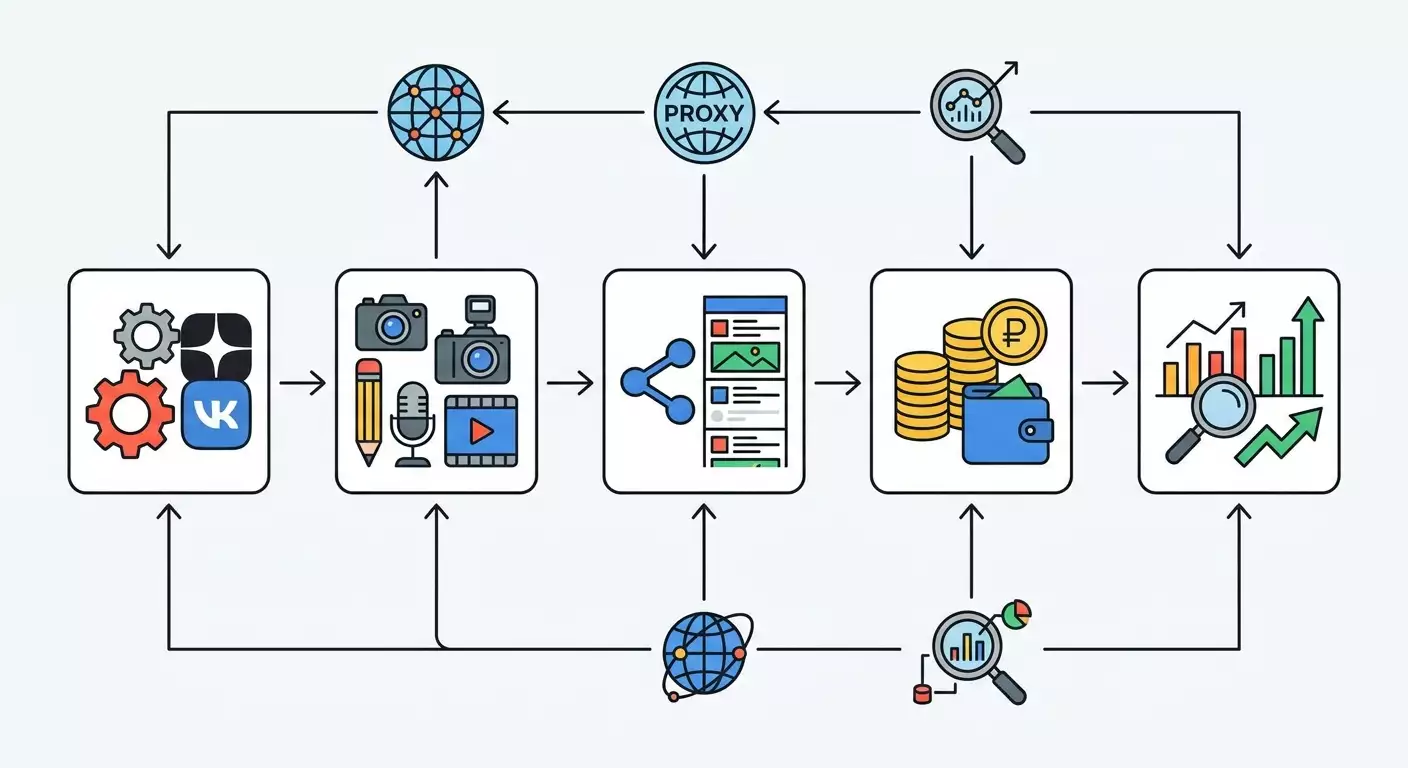
Table of contents
- Introduction
- Preliminary preparation
- Basic concepts
- Step 1: registration and basic channel setup
- Step 2: architecture for businesses and agencies, roles, and work through proxies
- Step 3: content strategy and 30-day content plan
- Step 4: content production — articles, videos, covers
- Step 5: publication, scheduling, and navigation through the zen format
- Step 6: monetization in zen in 2026 — connection and requirements
- Step 7: analytics — metrics, reports, and data interpretation
- Step 8: proxies for analytics and trend parsing — safe practice
- Step 9: promoting the channel — organic growth, collaborations, creative links
- Results check
- Common mistakes and solutions
- Additional opportunities
- Faq
- Conclusion
Introduction
This step-by-step guide shows you how to launch and develop a channel in Zen under VK in 2026, set up monetization, connect analytics, and safely use proxies to manage multiple channels and parse trending content. You’ll get a ready-made blueprint from scratch to your first results, a list of tools, detailed checklists, and action templates for every day. The final outcome will be a functioning channel, a clear traffic funnel and sales process, transparent analytics, and a robust infrastructure for scaling.
This guide is for small and medium business owners, marketers, SMM specialists, content studios, and agencies managing one or more channels who want to accelerate their launch, avoid common mistakes, and plan their budget effectively. It’s also suitable for beginner authors ready to follow instructions step by step and implement recommendations immediately, without delay.
What you need to know in advance: basic computer literacy, the ability to work in a browser, readiness to write short texts and shoot simple videos on a smartphone. No special programming or design skills are required, but we will show advanced techniques for experienced users, including collecting open trends and integrating with analytics.
Time-wise: it will take 1-2 days of focused work for the initial launch. Preparing the content plan and the first 10 publications will take an additional 3-5 days. Connecting monetization after meeting platform requirements can take from 7 to 30 days, depending on content quality and metric dynamics. Building a sustainable system with analytics and trend parsing through proxies will take another 3-7 days.
Preliminary Preparation
Before starting, make sure you have everything necessary for work. This will save hours and allow you to proceed without setbacks.
Necessary Tools and Access
- A VK account on which you will set up your Zen channel. Use a corporate phone number and corporate email if you're running a business channel.
- A smartphone with a camera and microphone for short videos. Modern devices will do; clear sound and a steady picture are crucial.
- A laptop or desktop PC for preparing texts, covers, and working with analytics, spreadsheets, and proxy settings.
- A graphic editor: from simple Canva to professional solutions. Just know how to create covers and infographics.
- A text editor: Google Docs or any offline editor with autosave.
- Spreadsheets: Google Sheets for the content plan and publication registry.
- A proxy provider for safely managing multiple channels, geo-visibility testing, and trend parsing. The guide includes instructions based on mobile proxies, which are the closest to real user traffic.
System Requirements
- Windows 10 or newer, macOS 12 or newer, or a modern Linux distribution.
- A stable internet connection, with an average speed of at least 20 Mbps, and ping under 60-90 ms for comfortable video uploads.
- A modern browser: Chrome, Firefox, Safari, Edge, updated to the latest versions.
What to Download, Install, and Configure
- Update your operating system and browser to the latest versions. This reduces the risk of errors during publication and working with analytics.
- Install a graphic editor and ensure templates for covers open, with ready presets for 16:9 and square formats.
- Create a folder structure: Zen 2026 Project Content Videos Covers Texts Reports Proxies Screenshots.
- Prepare spreadsheets: Content plan with columns Date, Format, Title, Description, Hashtags, Goal, UTM, Responsible, Status; Publication registry with URLs, metrics, and notes regarding inclusion in playlists and collections.
- Set up your corporate email and phone for confirmations. Check access to SMS and calls.
- Prepare proxy settings. If using mobile proxies, verify the presence of IP rotation by timer, API, or link, and support for HTTP(S) and SOCKS5.
Backups
- Enable autosave in your editors and spreadsheets.
- Weekly, export a ZIP archive of the Content and Reports folders to the cloud and an external drive.
- Duplicate the publication registry with metrics in a separate backup spreadsheet.
Tip: At the end of each workday, take a screenshot of key graphs and save them in the Screenshots folder with the date in the file name. This speeds up the comparison of dynamics over a week and a month.
✅ Check: You have access to the VK account, the folder and spreadsheet structures are created, editors are installed, and data for proxy setup is prepared. You can open the browser, log in, and access the Zen interface under your account.
Basic Concepts
To move swiftly through the instructions, let’s establish key terms in simple language.
- Zen Channel — your media profile under VK for publishing articles, short and long videos, galleries, and posts.
- Monetization — the method of earning from content through the platform's advertising blocks and partner mechanics. Available after meeting platform requirements.
- Metrics — impressions, reads, viewing time, subscriptions, retention, headline and cover CTR, engagement.
- UTM Tags — special parameters in links for analyzing traffic sources.
- Proxy — an intermediate server through which network traffic flows. In the context of agencies, it helps to separate work processes by channels, test geo-visibility, and securely collect open trends without exceeding request limits.
- Mobile Proxies — proxies on real operator SIM cards with changeable IP addresses, simulating regular user behavior. Convenient for IP rotation, load distribution, and modeling different audiences by geo.
The main principle of working in Zen in 2026 is compliance with platform rules, focusing on value for the reader, and transparent analytics. All monetization and promotion mechanics build around clean content, a clear channel topic, and continuous hypothesis testing.
Tip: If you are just starting, pick one niche and one format for the first 2 weeks, such as short videos up to 60 seconds. This will accelerate the receipt of initial metrics and reduce cognitive load on the team.
Step 1: Registration and Basic Channel Setup
Step Goal
Get a publication-ready channel with correct data, description, formatting, and technical settings.
Detailed Step-by-Step Instructions
- Log in to your VK account in the browser.
- Go to the Zen interface under your account. You will see a welcome screen or feed; at the top, there will be a Create Channel or Channel Settings button.
- Click Create Channel. Enter the brand or project name. Use a short and memorable name. Example: Kitchen Workshop 24.
- Fill in the channel description. Write 2-3 sentences about who you are and what the reader will gain. Example: We help choose equipment and materials, show tests, and real kitchens before and after.
- Upload an avatar. Use a logo in a circle, a minimum of 512x512 pixels. Check readability against dark and light backgrounds.
- Upload a cover or background for the channel, if the format allows. Use 1920x1080; avoid fine text on the image.
- Open the Settings section and check the displayed contacts: website, phone, email. Fill in the fields according to platform policy. Be careful with external links; follow Zen's rules.
- Confirm the rights and conditions of the platform. Accept the user agreement and policy.
- Enable two-factor authentication in VK for increased security. Save backup codes in a safe place.
- Create the first categories of the channel: Reviews, Client Cases, Instructions, Quick Tips. This will assist in navigation and selections.
Important Points
- Use a professional email in the company's domain for feedback.
- Unify the branding of covers and videos. Let viewers recognize you in the feed by your colors and layout.
⚠️ Attention: Do not use other logos, photos, or branding elements without permission. This may lead to complaints and visibility restrictions.
Expected Result
The channel is created, all primary fields are filled, the covers uploaded, and categories added. You see the channel page with the Create Publication button and can proceed to your first content.
Possible Problems and Solutions
- The Create Channel button does not appear — update the browser, clear the cache, log in again.
- Unable to upload an avatar — check the image size and format; use PNG or JPEG.
- Error confirming the terms — check network stability and try again in 5 minutes.
✅ Check: Open the channel page in incognito mode and ensure the title, description, and avatar are visible. The Subscribe button should be active.
Step 2: Architecture for Businesses and Agencies, Roles, and Work Through Proxies
Step Goal
Build a secure access scheme to the channel, distribute roles, prepare infrastructure for multiple channels, and set up proxies for stable operation and future trend parsing.
Detailed Step-by-Step Instructions
- Define roles: Owner, Editor, Author, Analyst. The Owner manages rights and monetization. The Editor publishes and approves. The Author prepares materials. The Analyst monitors metrics and reports.
- Create separate corporate accounts for team members and assign rights in the channel based on the principle of minimum necessary authority.
- Form a channel map if you are an agency: Brand A Channel, Brand B Channel, Thematic Channel C. Next to each, specify the responsible person, proxy profile, and working hours.
- Prepare proxy profiles. For each channel, use a dedicated mobile proxy with rotation by timer or API. Record the proxy address, port, username, password, and rotation strategy.
- Set up proxies in the browser. In Chrome, use system proxy settings or profile manager. Enter the address, port, type of protocol HTTP(S) or SOCKS5, and credentials. Check the connection on the IP-checking service.
- Establish rules: one channel — one proxy profile — one browser profile. Do not mix.
- Prepare an IP rotation log: date, time, channel, old IP, new IP, reason for rotation. This will help to identify anomalies in analytics.
- Set up a publication and reporting schedule, indicating who publishes from which profile, who checks analytics, and when rotation occurs.
Important Points
- Use mobile proxies for maximum natural traffic and the ability to simultaneously support HTTP(S) and SOCKS5 if required by your tools.
- Document geo-profiles if testing local relevancies and audience interests.
Tip: In the channel registry, add a Notes column where you log events: redesigns of covers, slogan changes, topic adjustments. This will help correlate metric spikes with real changes.
Expected Result
You have prepared an access structure, created a rotation log, set up a proxy profile in the browser for each channel, and understand who publishes materials and who analyzes metrics.
Possible Problems and Solutions
- Proxy not connecting — check the username and password, protocol type, availability of the address, try changing the port or restart rotation.
- Session logs out — disable auto-clear cookies and use separate browser profiles for each channel.
- Confused roles — create a one-page regulation with names, tasks, and deadlines.
✅ Check: From any workplace, you can access the required channel through the correct proxy profile, confirm IP in the checking service, create a draft publication, and save it without errors.
Step 3: Content Strategy and 30-Day Content Plan
Step Goal
Define the theme of the channel, key categories, formats, and publication frequency to rapidly gather initial metrics and prepare the channel for monetization.
Detailed Step-by-Step Instructions
- Formulate one main theme. Example: Custom Kitchens in City N, or Financial Literacy for Freelancers, or Home Workouts for Busy People.
- Identify three supporting themes that logically complement the main one. Example: Equipment Reviews, Renovation Mistakes, Supplier Checks.
- Choose two key formats to start: short videos up to 60 seconds and long-reads up to 3000 characters with photos. This will allow you to reach both visual and search audiences.
- Compile a map of audience questions. Ask your customers or colleagues: what are the 10 questions they ask most frequently? Write the answers in bullet points.
- Conduct a quick analysis of open trends in Zen. Browse the top feeds in your topic, noting headlines, video lengths, cover designs, and posting frequency.
- Create a content plan for 30 days: 3-5 publications per week, a minimum of 12 materials per month. Detail topics, formats, working titles, intended actions, and UTM tags.
- Define KPIs for the first month: 1000 subscriptions, 30,000 views, video retention of 40-50 percent for short clips, headline CTR of 4-8 percent for articles. These are benchmarks; adjust according to your niche.
- Align the plan with resources: who writes, who edits, who publishes, and on which days. Assign responsibilities in the table.
Important Points
- One theme — one publication. Avoid overloading with multiple ideas in one text or video.
- Test headlines and covers A/B within the week: change one element at a time to see its impact on CTR.
Tip: Implement the rule of 1 publication = 1 measurable purpose. For example, show 3 mistakes when choosing facades and offer a checklist for subscribing to the channel.
Expected Result
A complete content plan for 30 days, with clear topics, formats, tasks, and KPIs. All team members know what and when they do.
Possible Problems and Solutions
- Too broad a plan — narrow the topic, exclude secondary ideas, and move them to the next month.
- No resources for videos — start with articles and galleries, introduce video in the second week.
- No ideas — review common customer questions and materials that have performed well in your emails and messenger.
✅ Check: Your content plan table is filled out for the month ahead, all topics have dates, responsible persons, and target metrics. At least 12 publications are scheduled.
Step 4: Content Production — Articles, Videos, Covers
Step Goal
Prepare the first 10 publications with a consistent quality standard, clear structure, and attractive covers.
Detailed Step-by-Step Instructions
- Choose 5 topics for articles. For each, write bullet points: introduction, 3-5 main points, conclusion, call to action to Subscribe and Save.
- Create 5 short videos up to 60 seconds. Script in three blocks: problem, solution, call to action. Shoot on a smartphone in daylight, using a lapel microphone.
- Assemble covers. For articles — a bright contrasting background, a large object, minimal small details. For videos — a shot with emotion and action.
- Write titles. Use specifics and value: 3 mistakes when choosing a kitchen sink, How much a kitchen really costs without markup, 30-day renovation checklist.
- Prepare descriptions with 1-2 key phrases and natural hashtags. Don’t overdo it with quantity.
- Check the originality of the texts and rights to images. Replace controversial elements with your own photos or stock images with permission.
- Save all materials in relevant folders and mark their status as Ready in the content plan table.
Important Points
- Sound is more important than visuals: if recording outside, shield the microphone from wind.
- The first 3 seconds of the video determine retention. Start with a hook: a question, contrast, or mini-intrigue.
Tip: Shoot in batches of 3-5 videos in one session. This saves time on setup for lights and sound.
⚠️ Attention: Avoid promises of instant income, aggressive competitor comparisons, and sensational claims without proof. The platform pays close attention to content quality and authenticity.
Expected Result
You have 10 materials ready: 5 articles and 5 short videos, titles and descriptions checked, covers assembled, everything organized in folders, and marked as Ready.
Possible Problems and Solutions
- Video is jumpy — use a tripod or stabilizer, and shoot in good lighting.
- Poor sound — re-record using a lapel microphone, or use a separate recorder and synchronize it during editing.
- Texts are too long — shorten to one meaning per paragraph, remove repetitions and filler.
✅ Check: Open each piece of content and ensure it has a title, cover, main text or script, description, and call to action. Each material in the table should be marked as Ready.
Step 5: Publication, Scheduling, and Navigation through the Zen Format
Step Goal
Publish the first 5-7 materials, set up the schedule, tags, and internal linkages so the content gains initial visibility.
Detailed Step-by-Step Instructions
- Go to the channel and click Create Publication. Choose Article or Video format.
- For the article, insert the title, main text, add 2-4 images, check subtitles and lists. Assign a category.
- For the video, upload the file, write a short description, add a cover and hashtags, and set the category.
- Add a call to action: Subscribe to receive the checklist, or Save so you don’t lose the instruction.
- Check the preview. In the preview, check the readability of the cover and title at different sizes.
- Set a schedule: publish daily for the first 3 days, then move to 3-4 publications per week.
- Add UTM tags to external links and in cards with transitions if using them within allowed mechanisms. Reflect the template in the table.
- Save and publish or queue it. Verify that the publication appears on the channel page.
Important Points
- Consistency is more important than spikes. Publish regularly according to the schedule.
- Pay attention to topics — do not mix different genres in one post.
Tip: Create connections from three publications on one topic during the week: review, instruction, case. This increases depth of viewing.
Expected Result
The first 5-7 materials are published on the channel, the queue is scheduled for a week ahead, UTM tags are agreed upon, and categories and hashtags are correctly set.
Possible Problems and Solutions
- The cover looks dull — increase contrast, add a large object, avoid text clutter.
- The video takes a long time to load — reduce bitrate, use a stable internet connection, and start loading in advance.
- Errors in UTM — use a unified template and check links in the preview.
✅ Check: Open the channel page, verify the frequency of publications and correctness of display. In the reporting table, the Status column for 5-7 materials should be Published.
Step 6: Monetization in Zen in 2026 — Connection and Requirements
Step Goal
Submit the channel for monetization after meeting platform requirements, configure necessary parameters, and understand how to analyze income.
How it Works in 2026
Zen under VK is developing a program for authors and brands, where rewards are formed based on ad views and other permissible mechanics. Specific conditions and metrics required for connection are reflected in the channel interface and may change. Generally, content quality and originality, compliance with rules, publication activity, and minimum audience and engagement metrics are considered.
Detailed Step-by-Step Instructions
- Open the Monetization section in the channel settings. If the section is available, you will see requirements or a Submit Application button.
- Check the compliance checklist: original content, regular publications, absence of rule violations, accurate channel data.
- Fill in payment details according to the platform instructions. Prepare legal documents for the company or self-employed data, depending on your business model.
- Click Submit Application and wait for the status to change to Under Review. Keep an eye on notifications in your dashboard.
- Once approved, enable ad blocks where applicable. Check format settings and types of monetized placements.
- Create internal content regulations for monetization: what’s permissible and what isn’t, examples of successful materials, retention and read-through metrics you aim for.
Important Points
- Data transparency: accurately and promptly fill in the details, keep confirming documents.
- Compliance with platform rules is a key factor for sustainable monetization.
Tip: Before approval of monetization, focus on improving retention and CTR of covers. This will expedite achieving minimum metrics and increase profitability post-launch.
Expected Result
The application has been submitted, or monetization is activated. You see preliminary income data in the respective interface and understand which publications earn the most.
Possible Problems and Solutions
- No Submit Application button — requirements not met. Increase the frequency of publications and improve engagement.
- Monetization refusal — check the Rules section, rectify violations, double-check content originality, and reapply after adjustments.
- No income recorded — verify if formats are activated, traffic is sufficient, and details are accurate.
✅ Check: The monetization interface displays status Connected or Under Review. If connected, data about income starts appearing in reports.
Step 7: Analytics — Metrics, Reports, and Data Interpretation
Step Goal
Set up an analytics system, learn to quickly read metrics, and make decisions to enhance content and monetization.
Detailed Step-by-Step Instructions
- Open the Zen channel analytics. Examine key graphs: impressions, reach, subscriptions, retention, viewing time, headline and cover CTR.
- Make the first export for the last week and month. Save it in Reports with the date in the file name.
- Create a Metrics Sheet in the table where you save CTR, retention, views, subscriptions, engagement, and publication date for each publication.
- Mark the publications that made it into recommendations and received a spike in reach. Note visual differences: cover background, large object, topic.
- Add UTM sources to the report if using external transitions within the rules. Compare which combinations of traffic channels yield the best metrics.
- Formulate at least 5 hypotheses. Example: short videos with a problem in the first 2 seconds yield 50 percent retention; articles with specific numbers in the headline increase CTR by 2 points; publications in the morning on weekdays perform better.
- Gradually test hypotheses one at a time. Change only one parameter: title, cover, length, hook, placement of the call to action.
Important Points
- Context matters: compare similar topics with each other, not random publications from different categories.
- Seasonality: document holidays and events that influence audience behavior.
Tip: Hold a 30-minute session every week called Weekly Review. On screen — one table, three questions: what worked, what didn’t work, what we are trying next week.
Expected Result
You have a consolidated report on metrics, you understand which topics and formats generate the best responses, and you have a testing plan for the following week.
Possible Problems and Solutions
- Data variance — increase publication volume to 12-16 per month to smooth out random outliers.
- Charts difficult to read — simplify the dashboard to three key metrics on the main screen and dive deeper as needed.
- No improvements — change your approach: film in a different location, revise the script, test different publishing times.
✅ Check: In the Metrics table, fields for all publications over the week and month are filled out, there’s a list of at least 5 hypotheses, and the dates of testing them are noted.
Step 8: Proxies for Analytics and Trend Parsing — Safe Practice
Step Goal
Set up correct work with proxies for agencies and internal teams: distribute profiles by channels, collect open trends without overloading, model geo-tests, and verify IP stability.
Detailed Step-by-Step Instructions
- Define tasks for the proxies. For agencies — separate channel profiles, unified publication policy, checking geo-displays as necessary. For analysts — gathering open trend sections and showcases.
- Set up mobile proxies for each channel: log entry records, establish rotation by timer of 15-60 minutes or by API as needed. For analytics, agree on a separate proxy profile with more frequent rotation.
- Create separate profiles in the browser and enable the proxies. Check the IP on the Proxy Check tool and record the result in the log.
- Establish request rules for parsing open pages: intervals of 3-7 seconds, pauses between batches, limitation of total requests per hour. Adhere to robot policy and terms of data usage.
- Implement quality control: Proxy Checker verifies accessibility and speed, a latency map helps select the optimal node by ping, and DNS Leak Test confirms that requests are routed correctly.
- Compile a trend extraction template: theme, title, content type, length, visual examples, date, approximate metrics of public interest, hypotheses about what worked.
- Draft a storage policy: keep only aggregated trend data without personal information, use anonymized reports.
Important Points
- One channel — one profile — one proxy. This reduces the risks of overlaps and session confusion.
- Scheduled rotation and documentation of IP changes help analyze anomalies in metrics.
Tip: Before large trend extractions, conduct a test run on 10-20 cards, measure delays, and only then scale. This saves time and reduces the risk of errors.
⚠️ Attention: Only collect open data, adhere to platform terms and legislation. Do not attempt to access closed sections or use automation that contradicts the rules.
Expected Result
Separate profiles with proxies are operational, you know how to check IP, document rotation, collect aggregated trends safely, and use them for content hypotheses.
Possible Problems and Solutions
- High ping — change geo-node, check the latency map, and select the nearest region.
- Rotation failures — switch from manual rotation by link to API or timer rotation.
- Duplicate content in reports — add hash control fields for titles and publication times.
✅ Check: The Proxy Check tool shows the correct IP address, DNS Leak Test indicates the route through the proxy, Proxy Checker confirms stability, the rotation log is filled, and a test trend extraction is ready.
Step 9: Promoting the Channel — Organic Growth, Collaborations, Creative Links
Step Goal
Create a sustainable flow of organic impressions, engagement, and subscriptions through the quality of content, collaborations, and proper packaging of publications.
Detailed Step-by-Step Instructions
- Strengthen headlines. Use specificity formulas: How We Saved 78,000 Roubles on the Kitchen, 30-Day Renovation Checklist, 5 Mistakes that Increase Project Costs by 25 Percent.
- Recheck the first 3 seconds of videos. Start with value or a visual contrast Before and After.
- Create collections of 3-5 publications on one topic. Add short transitions between them via linkages on the platform, if available.
- Collaborations: plan knowledge exchange with complementary channels in your niche. Agree on the topic, format, and date, document responsibilities in a table.
- Launch a series. Example: Week of Fitting Tests or 10 Mini-Instructionals for Beginners. Series increase retention and return visits.
- Gather a lead magnet within the content: checklist, template, mini-cost calculator. Announce it at the end of the article or video.
- Weekly analyze the best combinations of title + cover + hook and implement them in new publications.
Important Points
- Quality is more important than quantity, but without regularity, progress won’t happen. Balance both.
- Value for the audience always surpasses the attempt to sell. Sales follow trust.
Tip: Take 3 best publications, create extended versions, and pin them as cornerstone content for new subscribers.
Expected Result
Organic reach grows, partnerships emerge, the audience returns, and a series of publications builds a core of loyal readers.
Possible Problems and Solutions
- Weak collaborations — choose channels with similar audiences and values, agree on a clear content plan.
- Low CTR — test contrast of covers and numbers in titles, highlight the main benefit in the first words.
- Low retention — enhance the first 3 seconds of videos and streamline the introductory part of articles.
✅ Check: In 14 days, there are 2-3 publications with above-average views and engagement, and at least one planned collaboration.
Results Check
Checklist for Functionality
- The channel is set up, and the description and covers are correct.
- At least 12 materials have been published within the month.
- A content plan for the following week is ready.
- Monetization has been submitted or activated according to the platform's status.
- Proxy profiles for channels and analytics are set up.
- An IP rotation log and a metrics report are maintained.
- Weekly reviews and a list of hypotheses for testing are documented.
How to Test
- Open the channel in incognito mode and check the availability of publications and correctness of cover displays.
- Check the IP in the verification tool and ensure it matches the assigned channel profile.
- Cross-check UTM tags on the last three publications where they were used.
- Download the report for the week and verify that key metric fields are filled out.
Indicators of Successful Implementation
- Subscriber growth is consistent week over week.
- Headline CTR for articles is 4-8 percent or more in your niche.
- Retention for short videos is 40-50 percent or higher.
- The minimum requirements for monetization submission have been met; the status of the application is current.
✅ Check: All items on the checklist are marked as completed, there are no empty fields in the report, the IP profile matches the channel, and publications are displayed correctly in the feed.
Common Mistakes and Solutions
- Problem: Relying on one-time spikes instead of regularity. Cause: lack of a schedule. Solution: enforce 3-4 publications per week and stick to the schedule for a month.
- Problem: Weak titles and covers. Cause: absence of testing. Solution: weekly check 2 variations of titles and one version of the cover.
- Problem: Mixing topics in one publication. Cause: attempt to convey everything at once. Solution: one publication — one meaning, the rest in a series.
- Problem: Drop in retention in videos. Cause: weak first 3 seconds. Solution: start with a hook, show contrast or results.
- Problem: Failures when managing multiple channels. Cause: overlapping sessions. Solution: one channel — one proxy and one browser profile.
- Problem: UTM errors. Cause: lack of a template. Solution: standardize UTM and add auto-checking of links in spreadsheets.
- Problem: No data on trends. Cause: gathering without rules. Solution: set intervals for requests, IP rotation, and only store aggregated indicators from open sources.
✅ Check: After implementing solutions, you see growth in CTR, retention, and a decrease in the number of technical errors in reports.
Additional Opportunities
Advanced Settings
- Geo-testing. Assign different proxy nodes to check the visibility of publications in neighboring regions if it’s relevant to your business.
- Cover templates. Create 3-5 basic templates with different compositions and test them in turn.
- Browser Fingerprint Generator. Check how your device profile appears and ensure consistency in your working profiles.
Process Optimization
- Unified content hub. Store scripts, texts, video sources, and cover templates with versions and dates of changes.
- Automation of routines. Use reminders and checklists for publications for each format.
- Latency map. Select optimal connection points by ping for uploading large video files.
What Else Can Be Done
- Create a library of hooks. 50 ready-made introductions for videos and articles, marked with how well they performed.
- Gather a bank of visual techniques. 20-30 Before and After shots, close-ups, details, working with hands in the frame.
- Develop a content line for lead generation. Checklists, calculators, mini-guides that logically integrate into content and enhance monetization.
Tip: Conduct a content audit every quarter: remove visual noise, refresh covers on old traffic leaders, and rework titles based on new statistics.
FAQ
- How can I tell if my channel is ready for a monetization application? Answer: check the Monetization section in the Zen interface, meet all listed requirements, ensure regular publications, and stable metrics.
- How many publications should I do per week? Answer: start with 3-4. If resources allow without loss of quality, increase to 5-6. Regularity is more important than peaks.
- Which formats work best in 2026? Answer: short videos and concise articles with specific benefits. Success hinges on the topic, cover, title, and value.
- When to activate proxies? Answer: if managing multiple channels, testing geo, or collecting open trends. Set up a separate profile for each channel.
- How to check if the proxy is configured correctly? Answer: cross-check IP and ping in verification tools, ensure there are no DNS leaks, and document rotations in the log.
- What to do if the material is not gaining views? Answer: improve the first 3 seconds of the video, title, and cover, publish in series, analyze the best from the past week.
- Are UTM tags necessary? Answer: yes, if using external traffic sources within platform rules. This provides transparency in analytics.
- How to organize a team? Answer: roles Owner, Editor, Author, Analyst. One channel — one proxy — one profile, with a unified publication regulation.
- Can I scale to multiple regions? Answer: yes, if the niche and product are relevant. Plan geo-tests and content with local specifics.
- How long until sustainable results? Answer: typically 4-8 weeks with stable posting and hypothesis testing. Monetization activates after meeting platform requirements.
Conclusion
You have completed the full journey: from channel registration and basic setup to the first publications, monetization, analytics, and safe operation through proxies. Now you have a month’s worth of content plan, prepared materials, set profiles, and quality control checklists. By following this step-by-step guide, you reduce risks, speed up launches, and create a sustainable growth system.
What’s next: cement publication regularity, conduct weekly metric reviews, scale successful formats, introduce collaborations and series. Save time on routine tasks by automating materials preparation and checking technical settings. Continue working with trends through safe request rules and IP rotations, track results, and implement only what boosts metrics.
Where to develop: deepen content in thematic verticals, try new categories, and expand the geography of tests. Strengthen visuals and sound, enhance the first 3 seconds of videos. Create lead magnets logically embedded in high-demand materials. Enhance team professionalism: learn to conduct A/B tests quickly and make data-driven decisions. Need a sustainable infrastructure — use reliable mobile proxies that support timer-based, API-based, and link rotations, and can work simultaneously with HTTP(S) and SOCKS5 protocols. For quality control, add regular checks of IP, DNS, and node speeds, to ensure analytics and publications operate smoothly.
If you’re an agency or have a network of channels, a structured architecture of one channel — one proxy — one profile, an IP rotation log, and a publication regulation provide scalability without chaos. Regular weekly reviews, a strict content plan, and accounting for seasonality in 2026 are the basic building blocks for sustainable growth in Zen under VK. Move step by step, adhere to the platform rules, publish valuable content, and make data-driven decisions — and your channel will transform into a source of traffic, trust, and income.
Practical Note on Mobile Proxy Services
For agencies and companies that prioritize stability, rotation, broad geography, and 24/7 support, working with mobile proxy services that offer large pools of real IPs on SIM cards with timer- and API-based rotation, as well as simultaneous support for HTTP(S) and SOCKS5, is practical. Consider having a free 3-hour trial, 24/7 support, and promo codes for your first purchase to lower the entry barrier. Periodically check IP, speed of nodes, and latencies through built-in tools and compare results with your channel analytics. This will allow timely node changes, maintain predictability in metrics, and accelerate hypothesis testing.
Self-Check Tools
Before trend extractions and significant publications, check IP, run a DNS Leak Test, use Proxy Checker for node validation, calculate proxy needs through a calculator, view the latency map for selecting optimal connection points, and assess the stability of the browser profile through a fingerprint generator. These simple steps save time, reduce risks, and help keep the team aligned.
And finally: discipline in the details is the main accelerator. Keep all templates and regulations in one place, mark every minor enhancement, and link it to metrics. After 4-8 weeks, you’ll see sustainable growth, understand repeatable success patterns, and scale without sacrificing quality.
About Reliable Mobile Proxy Providers
When choosing a mobile proxy provider for Zen and related analytics tasks, pay attention to the size of the IP pool, the number of countries and operators, the possibility of timer-based, API-based, and link rotation, simultaneous support for HTTP(S) and SOCKS5, free testing for several hours, and 24/7 support. If long test series or a large team are essential, having 200+ million IPs, over 50 countries, and real SIM cards creates resilience and flexibility for any scenario, from geo-testing to large-scale scraping of open showcases. Promo codes at the start help reduce costs in the first month, while built-in tools for checking IP, DNS, and latencies help maintain quality on a daily basis.
Tip: Conduct an infrastructure audit monthly: check the relevance of regulations, quality of covers, stability of audio and lighting in videos, accuracy of proxy rotations, log records, and backups. This preventive measure saves weeks of work during scaling.